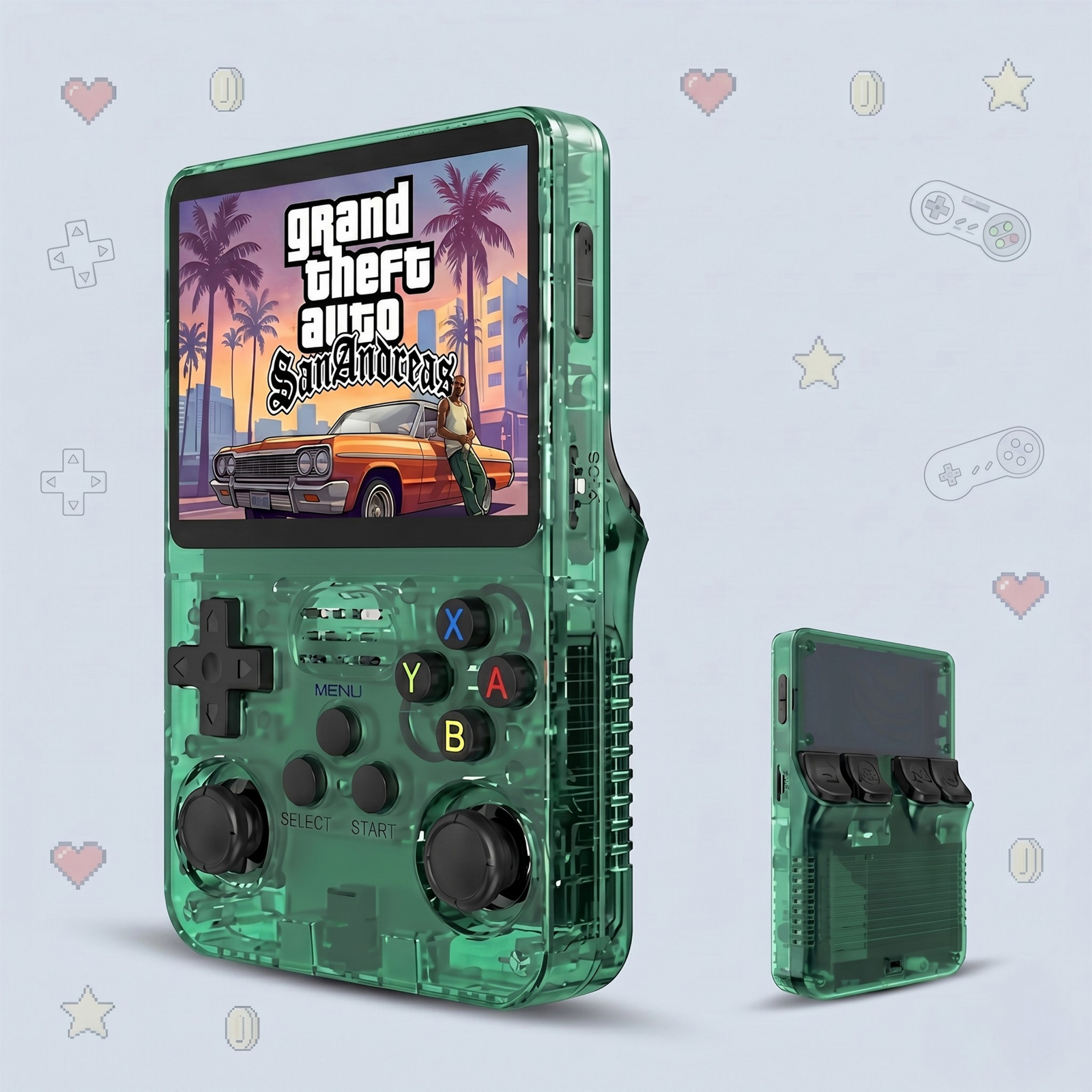
Best Games to Play on the R36S in 2026 (Top Retro Picks)
With around 14,000 games preloaded, the R36S can be overwhelming — where do you even start? These are the best games to play first, sorted by console, covering timeless classics and a few hidden gems worth your time.
Best Nintendo Games
Super Mario World (SNES) — arguably the greatest platformer ever made.
The Legend of Zelda: A Link to the Past (SNES) — a must-play adventure.
Super Mario 64 (N64) — the game that defined 3D platforming.
Pokemon Red / Blue (Game Boy) — perfect pick-up-and-play on a handheld.
Best Sega Games
Sonic the Hedgehog 2 (Genesis) — fast, colorful, and endlessly replayable.
Streets of Rage 2 (Genesis) — the gold standard of side-scrolling beat-em-ups.
Gunstar Heroes (Genesis) — a frantic run-and-gun classic.
Best PlayStation 1 Games
Final Fantasy VII — one of the most beloved RPGs of all time.
Crash Bandicoot — a PlayStation platforming icon.
Castlevania: Symphony of the Night — the genre-defining gothic adventure.
Tony Hawk’s Pro Skater 2 — still endlessly fun in short bursts.
Best Arcade and Fighting Games
Metal Slug series — gorgeous pixel art and chaotic action.
Street Fighter Alpha 3 — a deep, accessible fighter.
The King of Fighters — Neo Geo at its finest.
Hidden Gems Worth Trying
Chrono Trigger (SNES) — widely considered one of the best RPGs ever.
Mega Man X (SNES) — tight, satisfying action platforming.
Castlevania: Aria of Sorrow (GBA) — a portable masterpiece.
Top picks include Super Mario World, The Legend of Zelda: A Link to the Past, Sonic the Hedgehog 2, Final Fantasy VII, Metal Slug, and Castlevania: Symphony of the Night.
Are these games included with the R36S?
Most classic favorites are part of the roughly 14,000 preloaded games, and you can add any others via MicroSD.
What is the best RPG on the R36S?
Final Fantasy VII and Chrono Trigger are standout RPGs that run great on the R36S.
Can the R36S play classic arcade games?
Yes. Arcade classics like Metal Slug, Street Fighter, and Neo Geo titles run at full speed on the R36S.
R36S vs Other Retro Handhelds: Which Should You Buy in 2026?
The retro handheld market is crowded, with options ranging from $30 no-name gadgets to $200+ premium devices. So where does the R36S fit, and is it the right choice for you? Here is an honest comparison to help you decide in 2026.
What Makes the R36S Stand Out
The R36S hits a sweet spot: it is cheap enough to be an impulse buy, yet capable enough to run the libraries people actually care about. With around 14,000 preloaded games, a comfortable controller-style body, and a bright display, it punches well above its price.
R36S vs Other Handhelds at a Glance
Feature
R36S
Cheap no-name handheld
Premium handheld
Price
~$67.99
$25–$40
$150–$300+
Preloaded games
~14,000
Few hundred (often low quality)
Usually none included
Top systems
Up to PS1, N64, PSP
Mostly NES/arcade
Up to PS2/GameCube and beyond
Build & controls
Comfortable, full layout
Often cramped
Premium
Expandable storage
Yes (MicroSD)
Sometimes
Yes
Price and Value
This is where the R36S shines. Cheaper handhelds usually skimp on build quality and game libraries, while premium devices cost three to five times as much for power most retro fans do not need. The R36S gives you the games that defined gaming without the premium price tag.
Who Should Buy the R36S
Retro fans who mainly want NES, SNES, Game Boy, Genesis, arcade, and PS1 classics
Gift-givers looking for a fun, affordable present
Beginners who want a plug-and-play device with zero setup
Anyone who wants thousands of games in their pocket for under $70
Who Might Want Something Else
If your main goal is flawless emulation of demanding systems like PS2, GameCube, or modern 3D titles, a premium handheld is the better fit. For everyone else, the R36S covers the classics beautifully.
The Verdict
For the price, the R36S is one of the best-value retro handhelds you can buy in 2026. It nails the systems that matter most to retro gamers and does it for a price that is hard to argue with. Want the full breakdown? Read our in-depth R36S review.
For classic 8-bit, 16-bit, arcade and PS1 gaming, the R36S delivers most of the experience of pricier handhelds at a fraction of the cost. Premium handhelds mainly add power for demanding 3D systems.
Why is the R36S so cheap?
The R36S focuses on doing retro emulation well rather than packing in high-end hardware, which keeps the price low while still covering thousands of games.
Is the R36S good for beginners?
Yes. It is preloaded and boots straight into a game menu, making it one of the easiest retro handhelds to pick up and play.
What is the best budget retro handheld?
The R36S is one of the best value picks, combining a large preloaded library, a comfortable build, and a low price point.
How to Add Games to the R36S via MicroSD (Step-by-Step)
The R36S already comes loaded with thousands of games, but one of its best features is that you can add your own. If you have a favorite title that is not included, here is exactly how to get it onto your console — no technical skills required.
What You Will Need
Your R36S and its MicroSD card
A computer with a MicroSD card slot (or a USB card reader)
The game files you legally own, ready to copy
Step 1: Power Off and Remove the MicroSD Card
Turn the console off completely, then gently push in and remove the MicroSD card from its slot. Removing it while the device is on can corrupt files, so always power down first.
Step 2: Connect the Card to Your Computer
Insert the MicroSD card into your computer using a built-in slot or a USB adapter. It will appear as a removable drive, and you will see folders organized by console.
Step 3: Find the Right Console Folder
Each system has its own folder — for example, SNES games go in the SNES folder, PS1 games in the PS1 folder, and so on. Putting a file in the wrong folder is the number one reason games do not appear, so match them carefully.
Step 4: Copy Your Game Files
Drag and drop your game files into the matching folder. That is it — no installation, no conversion, just a simple copy. Wait for the transfer to finish completely before ejecting.
Step 5: Eject, Reinsert, and Refresh
Safely eject the card from your computer, slide it back into the powered-off R36S, and turn it on. Your new games will appear in the right console category. If they do not show immediately, refresh the game list or restart the console.
Troubleshooting Tips
Game missing? Double-check it is in the correct console folder.
Card not reading? Reinsert it fully until it clicks.
Want more space? Swap in a larger MicroSD card and copy the existing folders over.
Yes. You copy game files onto the MicroSD card and place them in the matching console folder, and they appear automatically in the menu.
What MicroSD card does the R36S use?
The R36S uses a standard MicroSD card. You can use the included card or a larger one for more storage.
Do I need special software to add games?
No special software is required. You simply drag and drop the files into the correct folder using your computer file manager.
Why is my new game not showing up?
Make sure the file is in the correct console folder and the card is reinserted fully. Restarting the console or refreshing the game list usually makes it appear.
How to Set Up Your R36S: A Complete Beginner’s Guide (2026)
Just unboxed your R36S? Good news: it is one of the easiest retro handhelds to get started with. There is no firmware to flash and nothing to download — this guide walks you from box to first game in just a few minutes.
What Is in the Box
Your R36S package typically includes the console, a preloaded MicroSD card already inserted, a USB Type-C charging cable, and a quick start sheet. The games are already on the card, so everything you need to play is in your hands.
Step 1: Charge Your R36S
Before your first session, plug the included USB Type-C cable into the charging port and give the console a full charge. A full charge takes a couple of hours and delivers hours of play. You can play while charging if you are impatient.
Step 2: Power On and Open the Menu
Hold the power switch on the top edge of the console. Within seconds, the R36S boots straight into its game menu, organized by console. No login, no setup wizard — you are ready to go.
Step 3: Pick a Console and Start Playing
Use the D-pad to scroll through the console categories (NES, SNES, PS1, and more), press the confirm button to open one, choose a game, and press it again to launch. That is genuinely all it takes.
Step 4: Learn the Controls
The layout will feel familiar to anyone who has held a controller:
Control
Function
D-pad / Joysticks
Move and navigate
A / B / X / Y
Action buttons
Start / Select
Start games and open in-game menus
FN (Function)
Shortcuts like save states, brightness, and exit
L / R shoulders
Secondary actions in supported games
Tips for Your First Session
Use save states. The FN button combos let you save anywhere — perfect for tough retro games.
Adjust brightness to balance visibility and battery life.
Explore by console — the library is huge, so start with the systems you grew up with.
No. The R36S comes preloaded with games and boots straight into a menu, so you can start playing without a computer or any setup.
How do I turn on the R36S?
Charge it first, then hold the power switch on the top of the console. It boots into the game menu within seconds.
How long does the R36S take to charge?
A full charge over USB Type-C typically takes a couple of hours and delivers hours of play.
Does the R36S need WiFi to play games?
No. All games are stored locally on the device, so you can play offline anywhere.
What Games Can the R36S Play? Full Console & Emulator List (2026)
One of the first questions every buyer asks is simple: what can the R36S actually play? The short answer is — a lot. This pocket-sized handheld emulates more than 20 retro consoles and ships with around 14,000 games preloaded. Here is the full breakdown.
How Many Games Does the R36S Come With?
The R36S arrives with roughly 14,000 games preloaded on its MicroSD card, already sorted by console and ready to play the moment you switch it on. There is no setup, no downloading, and no configuration — just turn it on and pick a game.
If that is not enough, the storage is expandable, so you can add your own titles whenever you like.
Full List of Consoles the R36S Can Emulate
The R36S covers the systems that defined retro gaming, from 8-bit classics to early 3D. Here is what it runs:
Brand
Consoles
Nintendo
NES, SNES, Game Boy, Game Boy Color, Game Boy Advance, Nintendo 64 (lighter titles)
Sega
Master System, Genesis / Mega Drive, Game Gear
Sony
PlayStation 1 (PS1), PSP (select titles)
Arcade
MAME, Capcom CPS, Neo Geo
Classic
Atari 2600, Commodore, and more
Which Systems Run Best on the R36S?
Thanks to its Rockchip RK3326 chip, the R36S handles the bulk of the retro library beautifully:
Flawless: NES, SNES, Game Boy / Color / Advance, Sega Genesis, and arcade classics run at full speed.
Great: PlayStation 1 games — including RPG epics like Final Fantasy VII — play smoothly.
Playable: Many Nintendo 64 and PSP titles run well, though the most demanding 3D games can vary.
Popular Games You Can Play Right Now
Whatever era you grew up in, the library has you covered: Super Mario Bros., The Legend of Zelda, Pokemon, Sonic the Hedgehog, Street Fighter, Metal Slug, Castlevania, and classic PS1 adventures are all included out of the box.
Can You Add More Games to the R36S?
Yes. The R36S uses an expandable MicroSD card, so you can copy your own game files into the matching console folders and they appear automatically in the menu — no PC software required. New to the device? Our full R36S review covers everything you need to know before you buy.
Yes, PlayStation 1 emulation runs smoothly on the R36S, including popular RPGs and action games.
Can the R36S play Nintendo 64 games?
It plays many Nintendo 64 titles, though performance varies on the most demanding 3D games.
How many games does the R36S have?
The R36S comes with roughly 14,000 games preloaded across more than 20 consoles, and you can add more via MicroSD.
Do I need to download anything to start playing?
No. The R36S is preloaded and boots straight into a game menu, so you can play right out of the box.
R36S Retro Handheld Review (2026): 14,000 Games, Specs & Is It Worth It?
Retro gaming is having a major moment, and the R36S is right at the center of it. This pocket-sized handheld promises your entire childhood in one device: 14,000 built-in games, more than 20 emulated consoles, and a price that undercuts almost every big-name competitor. But is the R36S retro handheld actually worth buying in 2026? Here is everything you need to know before you grab one.
In this hands-on guide we break down the R36S specs, the consoles and games it can play, battery life, build quality, color options, and the honest pros and cons, so you can decide if it deserves a spot in your pocket.
What Is the R36S Retro Handheld?
The R36S is a budget-friendly emulation handheld designed to play retro games from decades of gaming history on a single device. Think of it as a modern Game Boy that can also run SNES, Sega Genesis, PlayStation 1 and arcade classics, all preloaded and sorted, ready to play the moment you switch it on.
It ships with thousands of titles already installed, runs a lightweight Linux-based system, and uses an expandable MicroSD card so you can add your own games whenever you like. No PC setup, no complicated configuration, and no cables, just turn it on and play.
R36S Specs at a Glance
Feature
Details
Display
3.5-inch HD IPS, 1280 × 720
Preloaded games
14,000 built-in titles
Consoles emulated
20+ systems
Battery
3,000 mAh rechargeable
Storage
64 GB, expandable via MicroSD
n
Processor
Rockchip RK3326 quad-core
n
GPU
Mali-G31 MP2 (520 MHz)
n
Connectivity
Wi-Fi, USB Type-C
n
Operating system
Linux
Controls
D-pad, dual joysticks, full button set
Colors
Black, White, Purple, Blue, Green
Price
$67.99 (regularly $99.99)
What Consoles and Games Can the R36S Play?
This is the question most buyers care about, and it is where the R36S shines. With 20+ emulated systems and 14,000 preloaded games, it covers the consoles that defined retro gaming:
Nintendo: NES, SNES, Game Boy, Game Boy Color, Game Boy Advance, and lighter Nintendo 64 titles
Sega: Master System, Genesis / Mega Drive, and Game Gear
Sony: PlayStation 1 (PS1)
Arcade: MAME, Capcom CPS, and Neo Geo cabinets
Classics: Atari 2600, Commodore, and more
That means you can replay legends like Super Mario, The Legend of Zelda, Pokemon, Sonic the Hedgehog, Street Fighter, Final Fantasy and classic PS1 adventures, all from one handheld. Whether you grew up in the 8-bit, 16-bit or early 3D era, there is a library here for you.
Display, Controls, and Build Quality
The 3.5-inch IPS display is bright and sharp, with the kind of color reproduction that makes pixel art pop. The sharp, vibrant HD panel brings classic pixel art to life exactly the way you remember it.
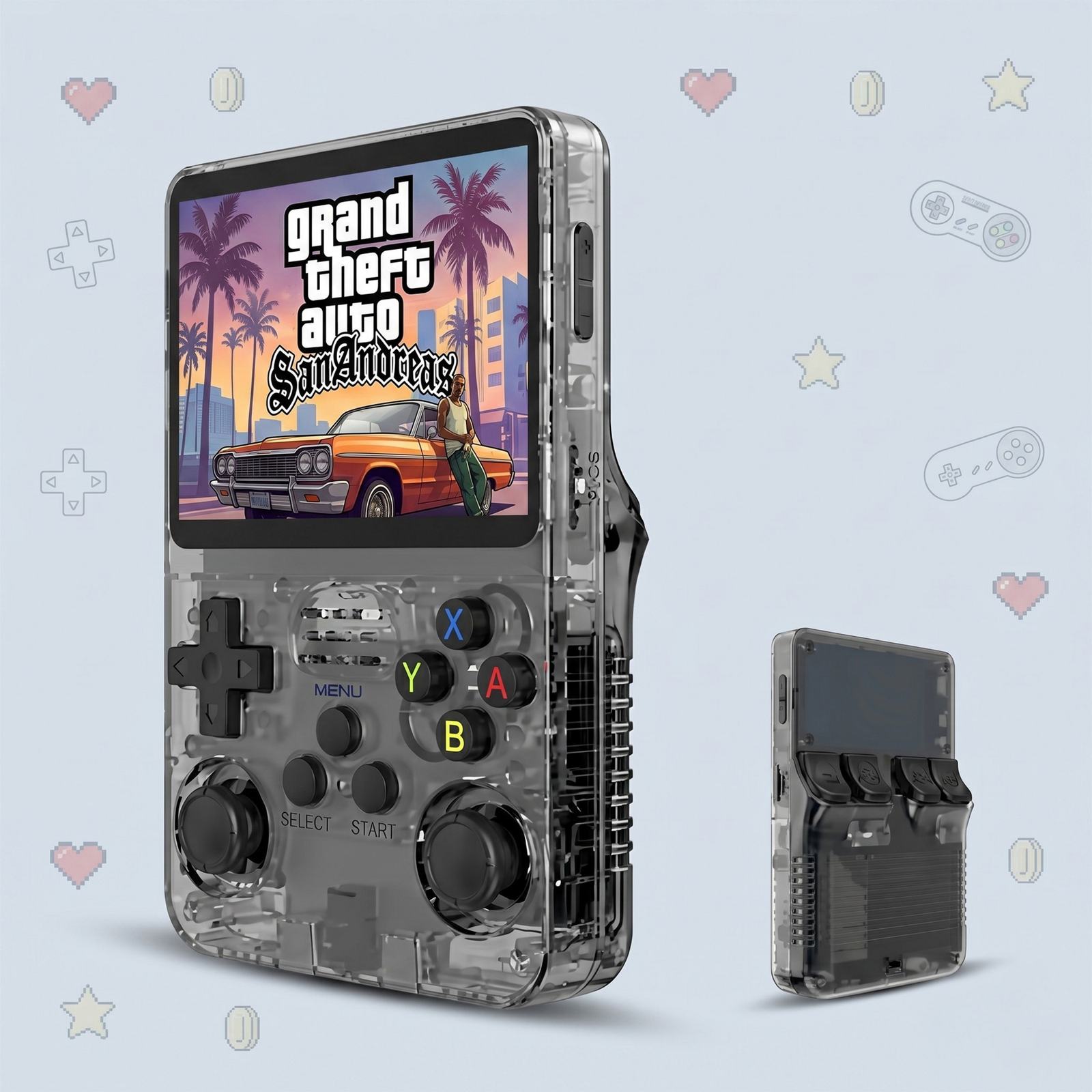
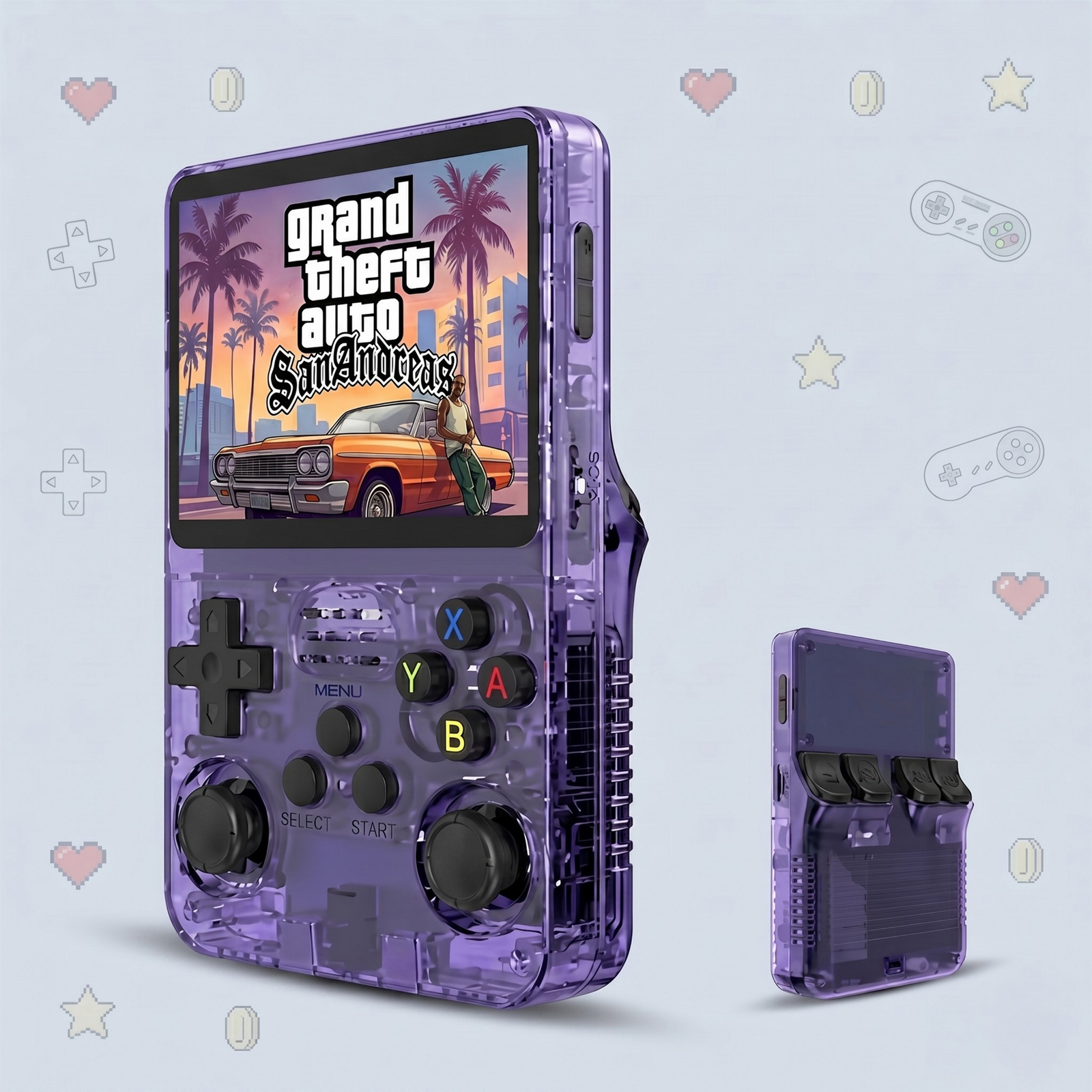
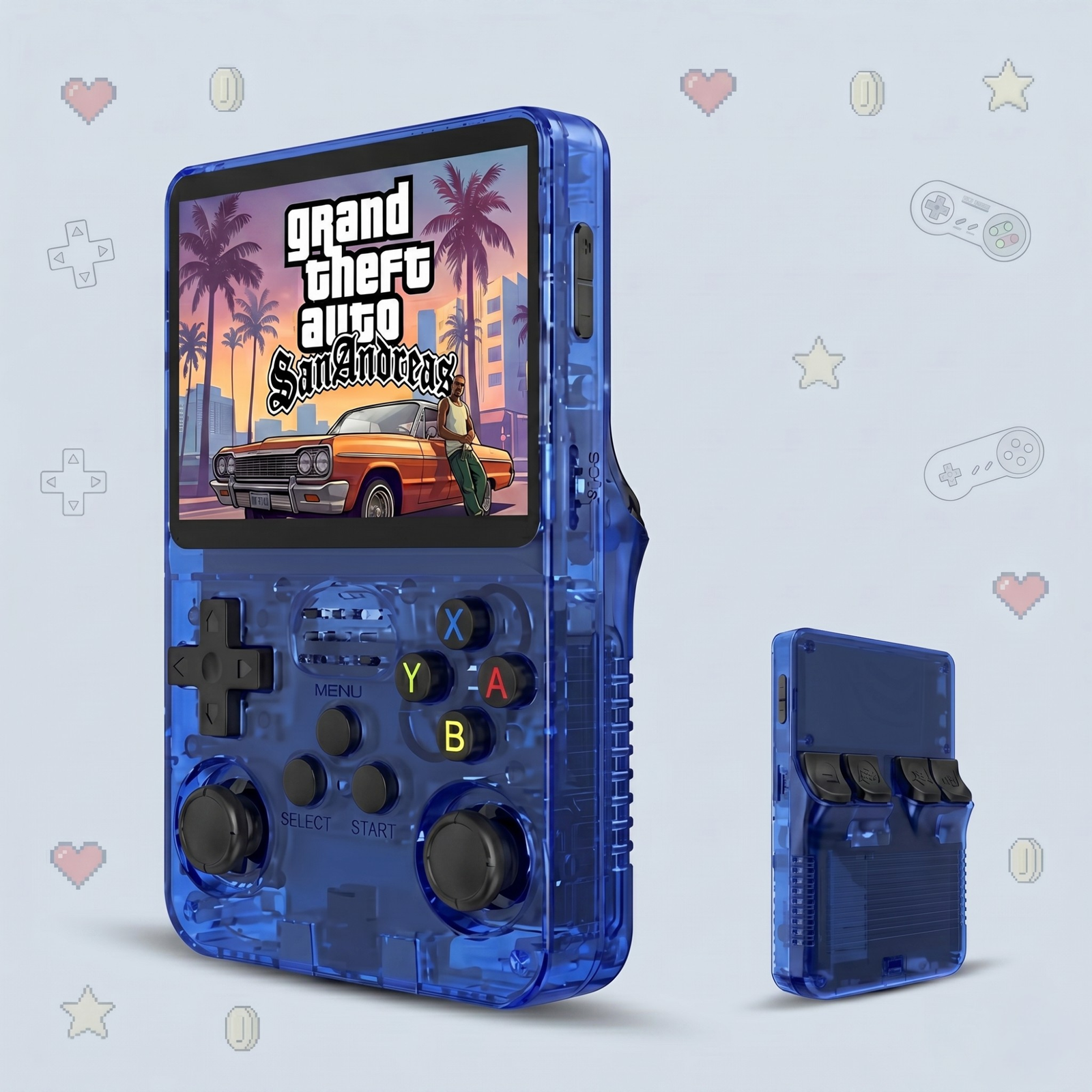
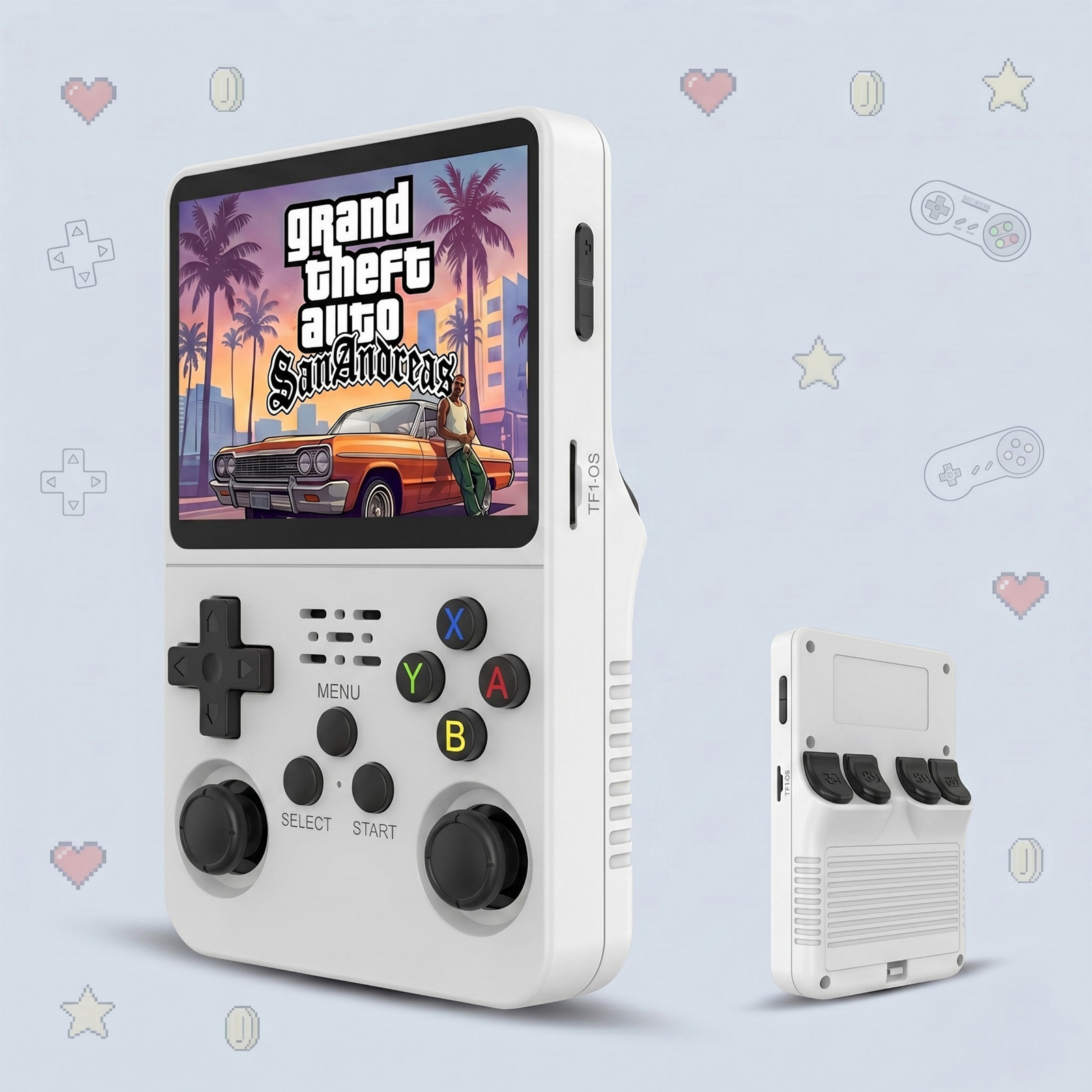
Ergonomically, the R36S is built for comfort: a responsive D-pad, dual analog joysticks for 3D-era games, and a full face-button layout. The transparent and solid shells give it a premium, collectible feel that stands out from generic plastic handhelds.
R36S Battery Life
A 3,000 mAh battery delivers hours of continuous play, depending on the system you are emulating and your screen brightness. That is more than enough for a long flight, a daily commute, or a weekend away, and you can top it up over USB whenever you need to.
R36S Color Options
The R36S comes in five finishes so you can pick the one that matches your style: Black, White, Purple, Blue, and Green. The translucent shells in particular show off the internals for a nostalgic, see-through look reminiscent of late-90s hardware.
R36S Pros and Cons
What we love:
Huge preloaded library, 14,000 games across 20+ consoles
Genuinely pocketable and comfortable to hold
Bright 3.5-inch IPS display with crisp retro visuals
Expandable storage so you can add your own games
Excellent value at $67.99
Worth keeping in mind:
Not built for demanding 3D systems beyond the PS1 era
It is an emulation device, so heavier consoles have limits
No built-in cellular or app store, this is purely for gaming
How Much Is the R36S, and Where Can You Buy It?
The R36S is currently $67.99, down from its regular price of $99.99, and it ships free worldwide with a 30-day money-back guarantee. If you have been waiting for a low-risk way to dive into retro gaming, this is it.
If you want thousands of retro games in your pocket without the hassle of building an emulation setup yourself, the R36S is one of the best-value handhelds you can buy. It is not trying to replace a modern console; it is here to deliver pure nostalgia, instantly, at a price that is hard to argue with. For retro fans, gift-givers, and anyone chasing that childhood feeling, it earns an easy recommendation.
Frequently Asked Questions
Can you add your own games to the R36S?
Yes. The R36S uses an expandable MicroSD card, so you can copy your own game files into the matching folders and they appear in your library with no PC software required.
Does the R36S play PS1 games?
Yes, the R36S emulates PlayStation 1 (PS1) titles alongside Nintendo, Sega and arcade classics.
How long does the R36S battery last?
Expect several hours of play on a full charge, depending on the system you are emulating and your brightness settings.
Is the R36S good for beginners?
Yes. It comes preloaded with thousands of games and boots straight into a simple menu, so no setup or technical knowledge is needed to start playing.
Is the R36S worth it in 2026?
For its $67.99 price, the R36S offers exceptional value for anyone who wants a huge retro library in a pocket-sized device, making it one of the best budget retro handhelds available.